
.png)
.png)
.png)
.png)



 Home > frequently > How to solve the problem of long startup time of TM-C3520?
How to solve the problem of long startup time of TM-C3520?
Document Number: 380052
1、 Phenomenon description:
The printer takes a long time to start each time it is turned on, and it keeps prompting "Initializing" during the startup process,As shown in Figure 1.And the ink consumption is relatively fast.
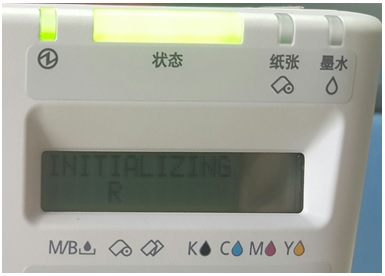
Figure 1
2、 Reason for the problem:
TM-C3520 is equipped with an automatic nozzle detection system, which is set to on by default. Every time the printer is turned on, it will automatically detect whether the nozzle is blocked, and when blockage is detected, it will automatically clean the print head.
3、 Solution:
You can turn off the automatic nozzle detection system by following these steps: Open the control panel of your computer -->Devices and Printers -->Right click on the printer icon -->Printer Properties -->Preferences -->Maintenance and Utilities -->Printer Settings -->Printer Operation Settings -->Select "Nozzlecheck Mode" as "No Point Missing Detection Mode" -->Apply Settings(As shown in Figure 2)。
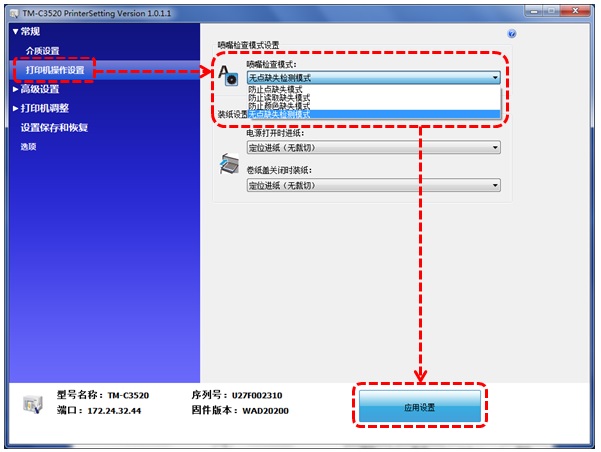
Figure 2
be careful:After turning off the automatic nozzle detection system, the printer will not automatically monitor the nozzle. If the nozzle is clogged, it may affect the printing quality.