
.png)
.png)
.png)
.png)



 Home > frequently > How to solve the problem of incomplete content printed by TM-C7520G? -Epson Product FAQ - Epson China
How to solve the problem of incomplete content printed by TM-C7520G? -Epson Product FAQ - Epson China
Document Number: 380053
(This article takes die-cutting label paper and Word2010 application software as examples to illustrate)
1、 Phenomenon description:
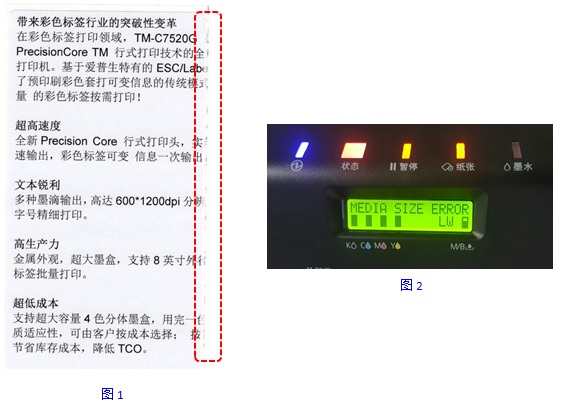
The content on the right side of the label output by the printer exceeds the boundary of the label and is printed onto the backing paper, and may even be missing,As shown in Figure 1.And the printer will report an error, the panel will prompt "MEDIA SIZE ERROR", and the status indicator light will flash red,As shown in Figure 2.
2、 Reason for the problem:
The actual paper size used is inconsistent with the default paper size in the printer driver and application software.
3、 Solution:
Step 1: Open the computer's control panel -->Devices and Printers -->Right click on the printer icon -->Printer Properties -->Preferences -->General -->Print Settings -->User Customization -->Select the appropriate "media form" -->Set the width and length according to the actual specifications of the label paper -->Customize the label name in the "Media Layout Name" -->Click "Add" -->Click "Close"(As shown in Figure 3)。
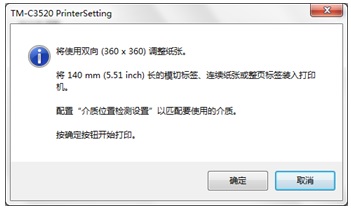
Fig 3
Step 2: Return to the "General" page in the printing preferences, select the custom label name in the "Media Layout", and then click "OK"(As shown in Figure 4)。
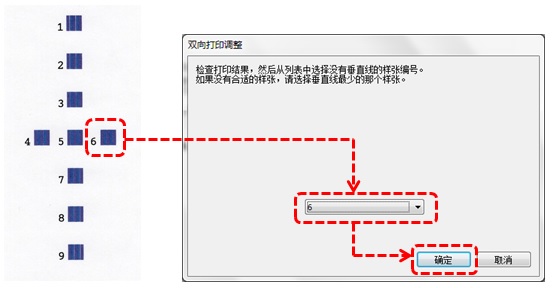
Figure 4
Step 3: Select the paper size as the custom label name in the application software(As shown in Figure 5),And adjust the layout and font size to achieve a more ideal preview effect. Then print it. 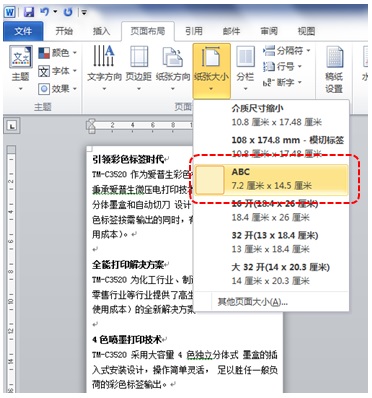
Figure 5
Creation time: December 22, 2016